 Borea
Borea
Webcast Telemetry Overlay
A SpaceX-style launch broadcast telemetry overlay in-game
- User Interface
Description
A work-in-progress mod for Kitten Space Agency that creates a SpaceX-style launch broadcast telemetry overlay in-game. The overlay is populated with live data from the active vehicle and the mod includes an engine diagram generated automatically using the actual position of the engines on your stage relative to each other.
The mod features:
- A bottom telemetry bar: speed and altitude on the left, T+ clock and mission timeline in the center, g-force and the engine diagram on the right. All of these positions are configurable. Styled to look like the SpaceX webcast overlay, slick animations and all.
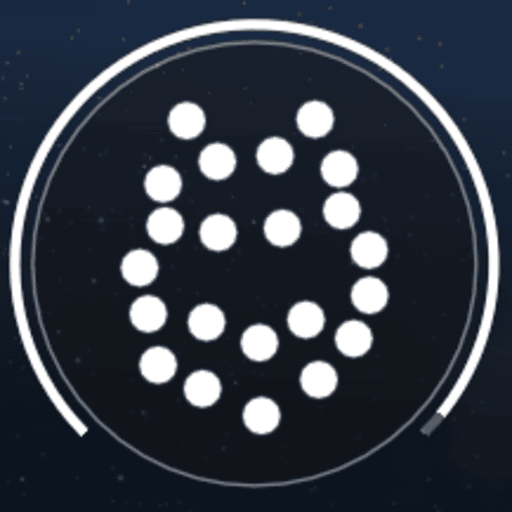
- An engine diagram built from the real nozzle positions on your active stage, with a propellant arc gauge around it. It intelligently displays the engines on the current stage, and filters out thngs like verniers and RCS nozzles. Engines are displayed to scale with each other based on exit diameter.
- Event notifications for certain in-flight events. Currently: Liftoff, Max-q, MECO, Stage Sep, SES-1, SECO, Landing burn, landing, and generic engine ignition/cutoff. I am not totally happy with how this works for now, it's not fully reliable but it does work most of the time. Improvements coming eventually, but it can be disabled in settings.
- A mission timeline bar showing detected events behind the marker and any planned maneuvers ahead of it.
- Freeze-on-signal-loss: if the vehicle stops being controllable, the overlay freezes at the last received values. When a vehicle passes 95% tolerance on any load limit, the telemetry pre-emptively freezes until either the vehicle breaks apart or the tolerance falls back below 95%. This prevents garbage telemetry being used from the same frame as a vehicle failure.
- Optionally and by default hides the flight UI while the overlay is up, and restores it afterwards. The HUD is shown again while the game's own layout-saving window is open, so a HUD layout saved with the overlay running does not have everything switched off.
- Every element is available as its own movable imgui window that behaves like any other.
- Fairly in-depth configuration available in the settings menu.
Installation
I recommend installing via Borea (that's where you are right now!). Alternatively you can download from Github or from Spacedock. If installing manually:
Extract into Documents/My Games/Kitten Space Agency/mods/ and add to manifest.toml:
[[mods]]
id = "KSATelemetryOverlay"
enabled = true
Dependencies:
StarMap is required for this mod. Borea provides Starmap by default.
ModMenu is optional but recommended, it provides the settings dropdown menu. If modmap is not installed, the settings menu can be accessed through a keybind that brings up a dedicated window, by default numpad backslash
Settings
Toggle the overlay on and off using the numpad period key by default. This can be configured in the config file or the settings menu.
Settings are saved to Documents/My Games/Kitten Space Agency/KSATelemetryOverlay/config.json, which is safe to edit by hand if your heart so desires.